

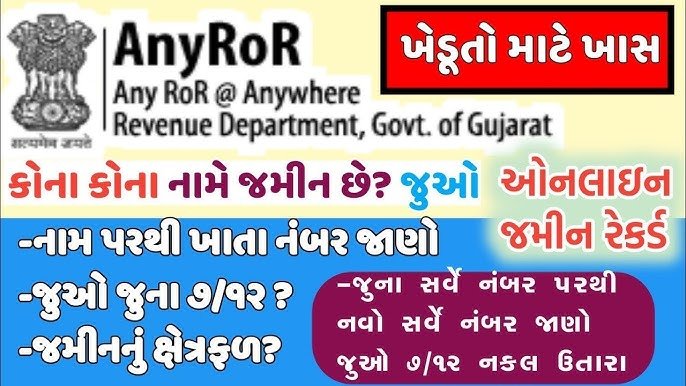
The official portal to check land records online in Gujarat is AnyRoR (Any Records of Rights Anywhere), managed by the Revenue Department, Government of Gujarat. The platform allows citizens, farmers, and buyers to instantly access urban and rural land documents without visiting a government office.
📋 Key Documents Available on AnyRoR
- VF-7 (7/12 Utara / Satbara Utara): Displays land ownership, survey number, land type, area size, and irrigation details.
- VF-8A (Khata Details): Lists the land account details and the specific khata number of the owner.
- VF-6 (Mutation Entries): Records chronological changes, historical land logs, or transfers of ownership.
- 135-D Notice: Public notice issued during property mutation to request claims or objections.
- Property Card: The official ownership record specifically issued for urban property structures.
- e-CHAVDI: Accesses chronological village-level crop and land revenue registration reports.
🗺️ Services & Process Breakdown
The platform separates records based on the location type. Follow these step-by-step navigation workflows on the AnyRoR Gujarat Official Website:
1. View Rural Land Records (જમીનનો રેકર્ડ – ગ્રામ્ય)
Used primarily for agricultural fields and countryside plots.
- Select “View Land Record – Rural” on the homepage.
- Choose your document type from the dropdown menu (e.g., VF-7 Survey No. Details, VF-8A Khata Details, or Know Khata by Owner Name).
- Select your District, Taluka, and Village.
- Pick the corresponding Survey Number or Khata Number.
- Complete the alphanumeric security Captcha Code.
- Click “Get Record Detail” to view, print, or save the file as a PDF.
2. View Urban Land Records (શહેરી જમીનનો રેકર્ડ)
Used for cities, towns, and non-agricultural urban holdings.
- Click “View Land Record – Urban” from the portal menu.
- Select your targeted option (e.g., Survey Number Details, Nondh/Entry Number Details, or 135D Notice Details).
- Input specific administrative locations: District, City Survey Office, Ward, and Sheet/Plot Number.
- Solve the displayed security Captcha Code.
- Click “Get Record Detail” to retrieve your data.
3. Property Search Feature (મિલકત શોધ)
Allows you to track registered documents and property ownership profiles using alternate criteria.
- Log in via the Property Search link on the main portal.
- Choose one filter path: Property Specific, Name Specific, or Year-by-Year Document Numbers.
- Fill in demographic parameters, including Sub-Registrar Office, Village Type, Applicant Name, Mobile Number, and Email ID.
- Enter the verification OTP sent to your mobile phone.
- Click “CERSAI Search” to view complete legal documentation logs.
Important Links
- ઓફિસિયલ વેબસાઇટ માટે અહીં ક્લિક કરો
- તમારા જમીને રેકર્ડ ઓનલાઈન ડાઉનલોડ કરવા માટે અહીં ક્લિક કરો
- જમીન રેકર્ડ ડાઉનલોડ કેવી રીતે કરવા જોવા માટે અહીં ક્લિક કરો
- Official Website: https://anyror.gujarat.gov.in
જુઓ વિડિયો માહિતી : ખેતર ના ૭,૧૨ ના કેવી રીતે ઓનલાઇન ડાઉનલોડ કરવા
💡 Alternative: How to Get Digitally Signed RoR
While standard records viewed online are for information purposes only, legally valid copies can be generated:
- Visit the official portal and select “Digitally Signed RoR”.
- Log in or register using your mobile number.
- Input the exact land identifiers and make a minimal online service payment.
- Download the certified, digitally sealed document which is globally accepted for banking, legal actions, and asset verification.