

To file your Income Tax Return (ITR) in India, you must log into the Income Tax Department e-Filing Portal, select the correct assessment year, choose the appropriate ITR form, validate your pre-filled tax data, and electronically verify the return. [1, 2, 3, 4, 5]
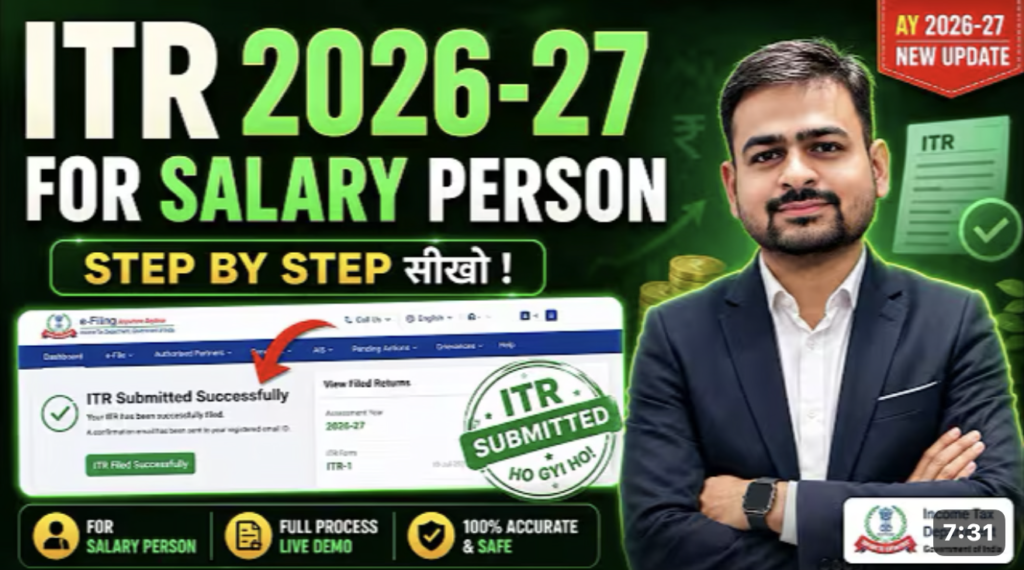
Step-by-Step Guide to File ITR Online
Follow this sequential process to complete your tax filing: [6]
- Log into the portal
- Visit the official Income Tax Department e-Filing Portal.
- Click Login and enter your PAN or Aadhaar number as the user ID.
- Enter your password to access the dashboard. [7, 8, 9, 10, 11]
- Initiate the filing
- Navigate to e-File > Income Tax Returns > File Income Tax Return.
- Select the current Assessment Year (AY) (e.g., choose AY 2026-27 if filing for Financial Year 2025-26).
- Select the mode of filing as Online and click Proceed.
- Choose your status as Individual, HUF, or Others. [12, 13, 14, 15, 16]
- Select the correct ITR form
- ITR-1 (Sahaj): For resident individuals with income up to ₹50 lakh from salary, one house property, and other sources (like interest).
- ITR-2: For individuals with capital gains, foreign income, or multiple house properties, but no business profits.
- ITR-3: For individuals running a business or profession.
- ITR-4 (Sugam): For individuals opting for the presumptive taxation scheme. [17, 18, 19, 20, 21]
- Validate pre-filled data
- Review the pre-filled information fetched from your Form 26AS, AIS (Annual Information Statement), and TIS (Taxpayer Information Summary).
- Verify your Personal Information, Gross Total Income, Deductions, and Tax Paid sections.
- Confirm your bank account details for receiving tax refunds. [22, 23, 24, 25, 26]
- Pay remaining tax or claim refund
- If your tax liability exceeds your TDS, pay the balance online via the e-pay tax facility.
- If your TDS exceeds your liability, the system automatically calculates your tax refund. [27, 28, 29, 30, 31]
- Submit and e-verify
- Preview your final ITR summary data carefully.
- Click Submit to upload your return.
- E-verify your return within 30 days using Aadhaar OTP, Net Banking, or Digital Signature Certificate (DSC) to complete the process. [32, 33, 34, 35, 36]
Crucial Documents to Keep Ready
Before starting, gather these baseline financial documents to cross-check your data: [37]
- PAN Card and Aadhaar Card
- Form 16 (provided by your employer for salaried individuals)
- Form 26AS and AIS/TIS (downloadable directly from the e-filing portal dashboard)
- Bank Account Statements and Interest Certificates
- Investment Proofs (such as ELSS, PPF, life insurance, or home loan interest certificates)]
અગત્ય ની લિન્ક
itr ઓનલાઇન ફાઇલ કેવી રીતે કરવું: જુઓ વિડિયો , અહીં ક્લિક કરો
Critical Blind Spots to Avoid
- Failing to e-verify: Your ITR is treated as invalid if you do not e-verify it within 30 days of submission. [43]
- Ignoring the AIS: The tax department tracks all high-value transactions; ensure your declared income matches your AIS records perfectly. [44, 45]
- Selecting the wrong regime: Compare the New Tax Regime against the Old Tax Regime before final submission to see which minimizes your liability. [46]
To help narrow down the exact steps for your situation, let me know:
- What are your primary sources of income (Salary, Business, Capital Gains)?
- What is your estimated annual total income?
- Do you want to compare the Old vs New tax regimes?
[1] https://www.incometax.gov.in
[2] https://www.bajajfinserv.in
[6] https://www.indiafilings.com
[9] https://www.bajajfinserv.in
[10] https://www.bajajfinserv.in
[12] https://www.icici.bank.in
[13] https://www.incometax.gov.in
[14] https://moneyview.in
[15] https://www.policybazaar.com
[16] https://www.manipalcigna.com
[17] https://www.bajajfinserv.in
[18] https://www.indiafilings.com
[19] https://www.policybazaar.com
[20] https://newhorizoncollegeofengineering.in
[22] https://www.legalfidelity.com
[24] https://www.indiafilings.com
[25] https://www.instagram.com
[26] https://www.incometax.gov.in
[27] https://www.psrcompliance.com
[28] https://taxgarden.in
[29] https://charteredhelp.com
[31] https://www.kotaklife.com
[33] https://www.iciciprulife.com
[34] https://www.canarahsbclife.com
[35] https://www.incometax.gov.in
[36] https://www.bajajfinserv.in
[38] https://www.bajajfinserv.in
[39] https://www.bajajfinservmarkets.in